Tools
Web2CSV
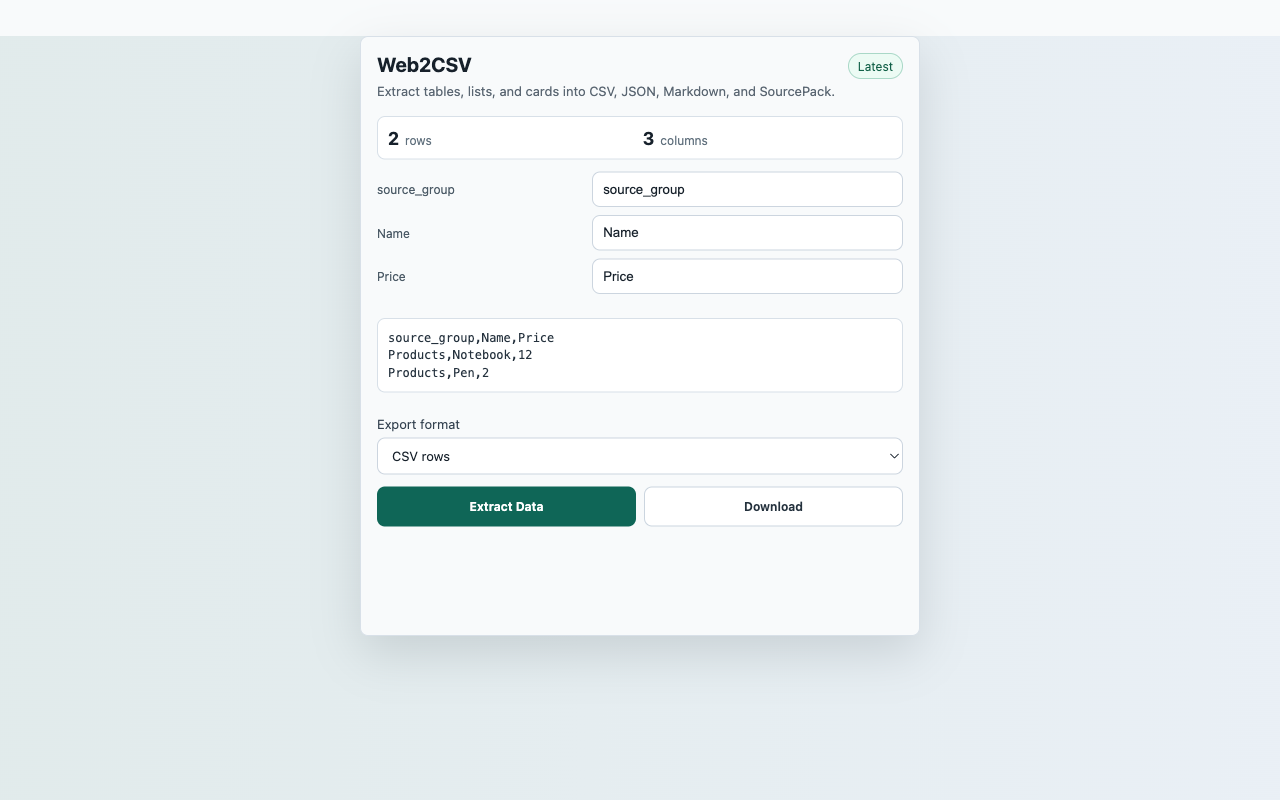
Extract visible structured data from the active page into local files after a user click.
InputCurrent active web page after user action
ActionExtract Data
FilesCSV, JSON rows, Markdown table, SourcePack JSON
PermissionactiveTab, storage, contextMenus, downloads, scripting; no persistent host permissions
StorageRecent captures in chrome.storage.local
ReviewerOpen reproducible guide
Captured content stays local unless the user downloads an export.
Core flow
Extract Data to local export
- Open a page that contains an HTML table or repeated card/list layout.
- Click the extension action, then choose Extract Data.
- Preview extracted rows and rename columns when needed.
- Download CSV, JSON rows, Markdown table, or SourcePack JSON.
Capture surfaceCurrent active web page after user action
Suggested smoke targetSuggested smoke target: https://sourcepack-tools.pages.dev/fixtures/products
Primary actionExtract Data
ExportsCSV, JSON rows, Markdown table, SourcePack JSON
StorageRecent captures in chrome.storage.local
PermissionsactiveTab, storage, contextMenus, downloads, scripting; no persistent host permissions
Scope
What ships in this build
Included
- Detects HTML tables and repeated visible card/list structures.
- Shows row count and a preview before export.
- Lets users rename columns locally before downloading.
- Requests no persistent host permissions.
Limits
- Pages without detectable repeated data show an empty-state message.
- Dynamic pages may require waiting until content is visible before capture.
- The extractor runs only after the user clicks the extension.